App store product page optimization is the work of improving the page a person sees after tapping an app in search results, in an editorial story or in an ad. Most teams spend their early effort on keywords and rankings, which decide how often an app appears in front of people. The product page decides what happens next, and for many apps that second step explains a large share of the gap between impressions and downloads. On 5 October 2026, Apple added new creative assets, an Asset Library and a preview tool to App Store Connect, which gives the product page more room than it had before.
This article explains how app store product page optimization works, which parts of the page influence downloads, how Apple’s testing tool and custom product pages fit together, and how a small team can run the process without a large budget. It is written for product managers, app marketers and founders who have an app in the store or are preparing a launch.
What Apple changed on 5 October 2026
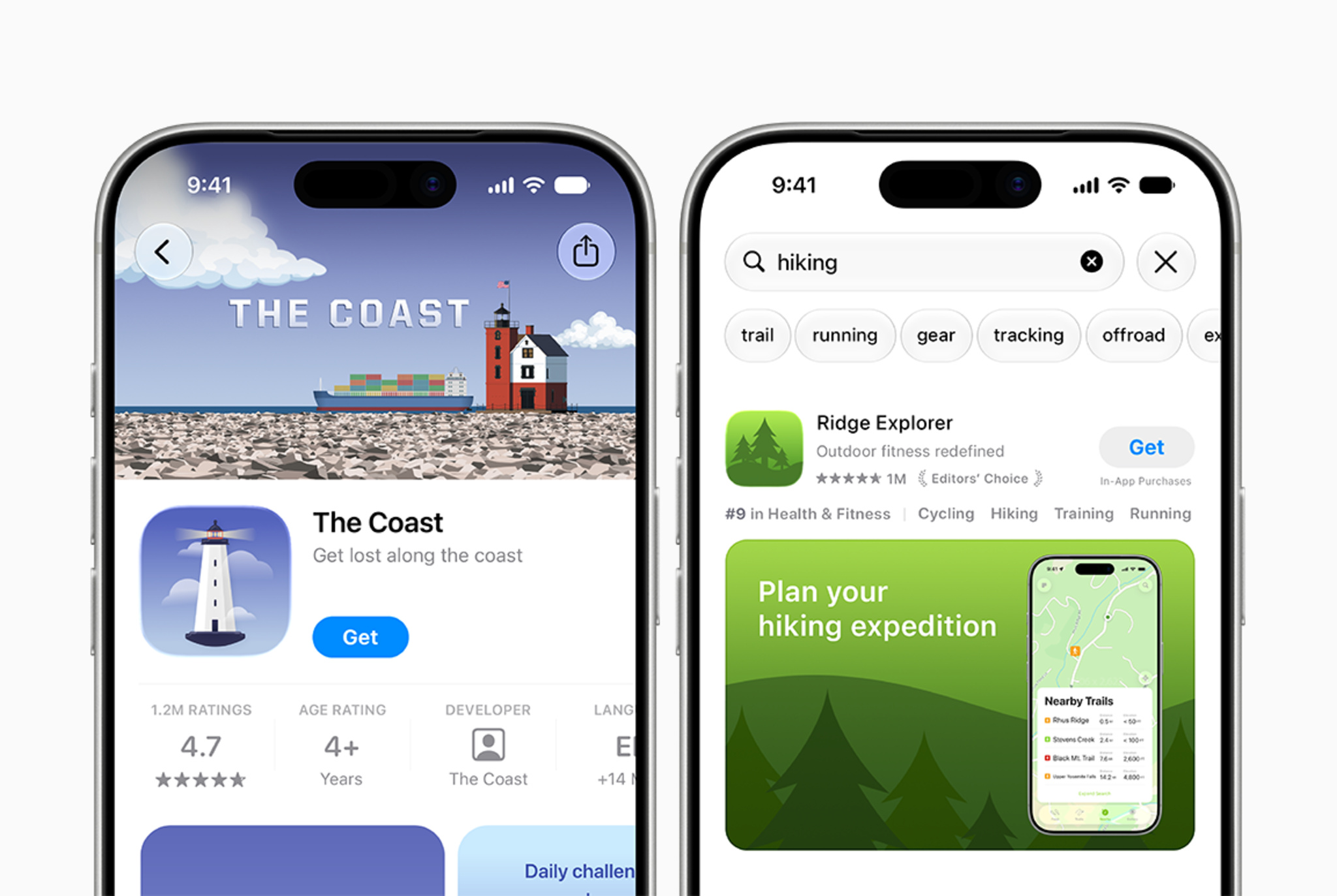
Apple’s developer news post of 5 October describes new creative assets that appear in the product page header and in search results. These image and video assets sit alongside existing screenshots and app previews, and Apple presents them as a way to highlight a brand, promote seasonal offerings or show new content. The same post introduces an Asset Library in App Store Connect, where creative assets, screenshots and previews can be uploaded and organized in one place, including ahead of the date they will be used. A new preview tool shows how the assets and other metadata will look on the product page and in search results, with support for Dark Mode and different devices and orientations.
A second post published the same day concerns iPhone Duo. Apple states that the device reaches customers from 23 October 2026 and that apps submitted from April 2027 will need to include iPhone Duo screenshots. Apple has also published design guidance and templates for the new asset types.
For product teams, the practical result is a page with more places to carry a message and a way to check them before anything goes live. The mechanics of app store product page optimization stay the same whichever asset types Apple adds next, so the sections below start with how discoverability and conversion differ and then move through each page element, custom pages and Apple’s testing tool.
How ASO and App Store product page optimization divide the work
App store optimization, usually shortened to ASO, covers everything that influences how an app is found and chosen. It helps to separate it into two jobs. The first is discoverability. The app name, subtitle, keyword field, category, ratings and localization all affect where an app appears in search and browse surfaces. Apple’s guidance on creating a product page states that keywords help determine where an app displays in search results and limits the keyword field to 100 characters.
The second job is conversion, which concerns what people do once they can see the app. The share of viewers who go on to download is often called the ASO conversion rate, and the product page is the main lever for it. Because the first one to three screenshots can appear in search results when an app has no preview video, conversion work begins before anyone opens the full page.
The two jobs depend on each other. Better ranking raises impressions, but if the page converts poorly, the extra impressions produce few downloads and the cost per install of paid campaigns stays high. A useful first diagnostic is to compare impressions with downloads in App Analytics. Low impressions point toward discoverability, while healthy impressions combined with weak downloads point toward the page.
The parts of a product page that matter most for App Store product page optimization
In app store product page optimization, Apple’s guidance treats every element of the page as a possible driver of downloads, and each element has a different job.
The icon is among the first things people see. Apple describes it as the element that communicates an app’s quality and purpose at a glance, and it recommends a simple design that stays legible at small sizes. The app name and subtitle carry the next layer of meaning. Both are limited to 30 characters, and Apple suggests using the subtitle to explain what the app does while avoiding generic claims such as “world’s best app.”
App store screenshots do most of the persuasive work. A page can hold up to 10, and Apple advises focusing each frame after the first on a single main benefit. Screenshots serve two audiences at once. A person scanning search results sees only the first one to three frames, while a person on the product page may scroll through all of them, so the first frame needs to carry the core idea by itself. Apple’s App Review Guidelines also require screenshots to show the app in use, so a sequence made entirely of title art or slogans risks rejection as well as weak persuasion.
App previews are videos of up to 30 seconds, and a page can show up to three. They autoplay with the sound off, which means the opening seconds do most of the work. The description matters most in its first sentence, since users see that sentence without tapping to read more. Promotional text sits above the description, holds up to 170 characters and can be changed at any time without a new app version, although it does not influence search ranking. Ratings and reviews affect both ranking and the decision to download, and Apple allows an app to request a rating up to three times in a 365-day period, so the timing of that request deserves attention.
The October 2026 creative assets add two more surfaces: a header at the top of the product page and an asset that appears in search. Screenshots and previews continue to show the app in use, while these new assets carry brand, seasonal and promotional messages. The preview tool matters here because a header that works on one screen size may be cropped on another.
Custom product pages as part of App Store product page optimization
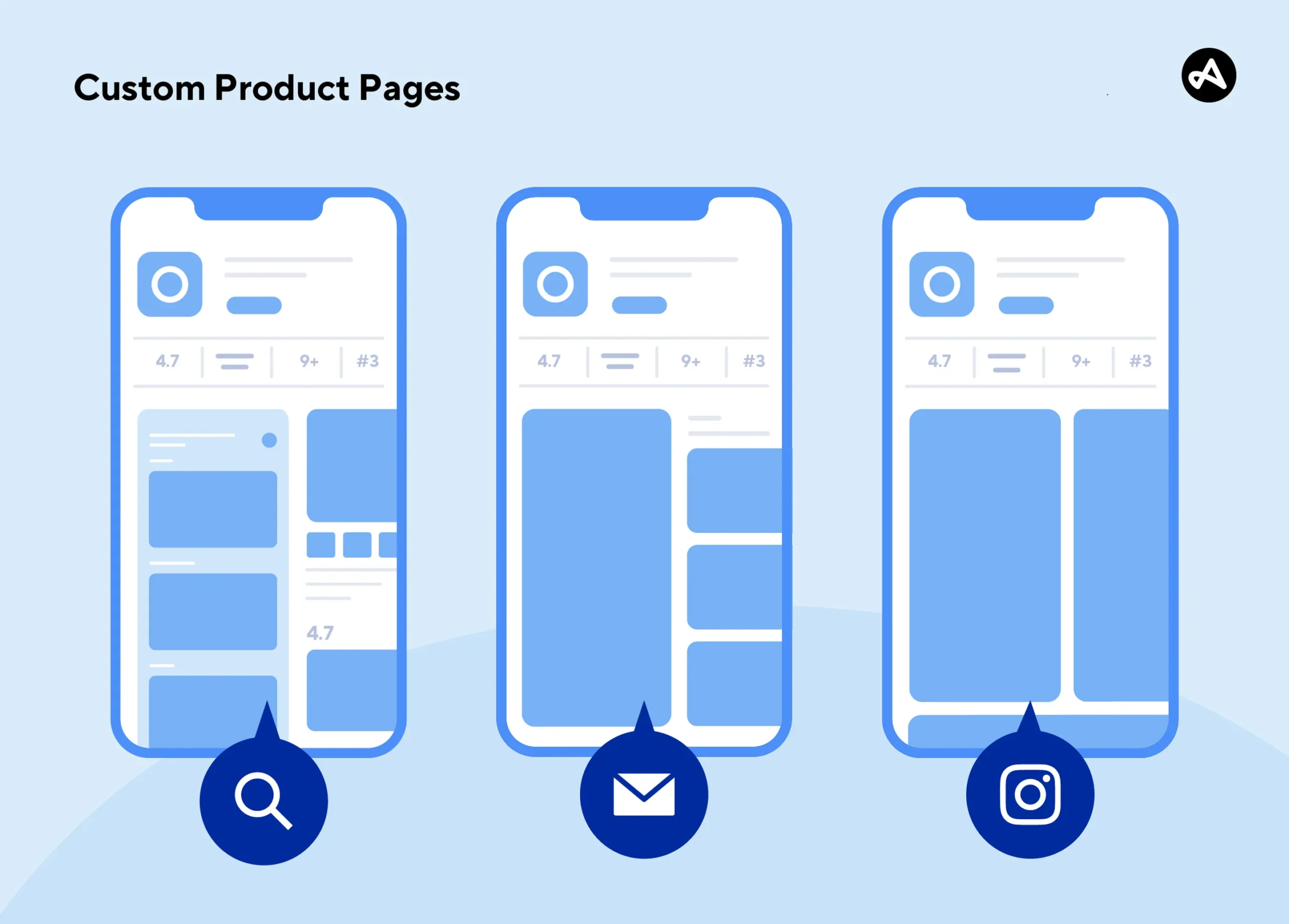
A default product page has to speak to everyone, and most apps attract several groups with different motivations. Custom product pages address this by allowing up to 70 additional versions of the page, each highlighting a particular feature, character or seasonal theme. Each version can use its own screenshots, promotional text and previews, and each has a unique URL that can be shared in emails, social posts and ads. Apple Ads can send traffic to a specific custom page, and a page can also appear in search results when keywords are assigned to it.
Apple publishes results from two developers that show the logic. CBS Sports built a custom page around March Madness for people arriving from its mobile website and saw a 20 percent increase in conversion rate over its default page. State of Survival created an RPG-focused page whose screenshots matched its online marketing creative, and it reported a 33 percent higher conversion rate and a 14 percent lower cost per install. In both cases the page repeated the message of the source that sent the visitor, so there was little gap between the ad and the store listing.
Apple also reports an average increase of 2.5 percentage points when people are referred to a custom page, against a 1.6 percent average conversion rate on default pages. Apple does not explain how this figure was calculated, so it is better read as a direction than as a benchmark for any single app. App Analytics also reports retention and proceeds per paying user for each custom page, which shows whether a page brings in users who stay or only cheap downloads.
How App Store product page optimization tests work in App Store connect
Custom pages serve known audiences. For the default page that everyone else sees, app store product page optimization relies on Apple’s built-in testing tool, product page optimization. A test compares up to three alternate versions of the page, called treatments, against the original. Treatments can change the app icon, screenshots and app previews, and each one is shown to a random share of App Store visitors on iOS and iPadOS 15 or later. A visitor keeps seeing the same version for the length of the test.
The team chooses how much traffic goes to the test. With two treatments and 40 percent of traffic allocated, each treatment receives 20 percent and the original keeps 60 percent. A test runs for up to 90 days or until it is stopped manually, and it cannot be modified after it starts. Apple’s marketing page says one test can be created at a time, although another Apple help page suggests separate tests can run in parallel, so it is safest to plan around one. New metadata must pass App Review before the test is published, and any alternate icon has to be included in the app binary.
Results appear in App Analytics, where each treatment shows impressions, conversion rate, percentage improvement and a confidence level against the baseline. Apple recommends waiting to apply a treatment or stop a test until at least one treatment is declared better or worse than the baseline with at least 90 percent confidence.
Apple’s own developer stories show how varied outcomes can be. Peak Brain Training tested a robot-themed icon against two other designs over 44 days, and the brain icon raised conversion rate by 8 percent while the robot design performed below the original. Simply Piano tested whether placing an app preview video before the screenshots would raise conversion. Over 12 days, the original page without the video outperformed the treatment, which contradicted the team’s expectation.
Both examples show why testing has value: the design the team expected to win lost in one case, and an addition that seemed like an improvement lowered results in the other. Apple also warns that each extra change inside a treatment makes the result harder to interpret, since a treatment that alters the icon, three screenshots and the preview at once cannot show which change produced the effect.
Comparing the Three Tools
The three tools used in app store product page optimization overlap in the assets they use, yet they answer different questions.
| Tool | What can change | Who sees it | How results are read | Question it answers |
| Product page optimization test | App icon, screenshots and app previews in up to three treatments | A random share of App Store visitors | Impressions, conversion rate, improvement and confidence in App Analytics | Which version of the default page converts better? |
| Custom product page | Screenshots, promotional text, previews, keywords and a deep link, with up to 70 versions | People who open the unique URL, click an Apple Ads variation or search for an assigned keyword | Product page views, downloads, conversion, retention and proceeds against the default page | Does a page built for one audience convert that audience better? |
| Creative assets (October 2026) | Product page header and search result asset, as image or video | People browsing search results and product pages | Apple’s launch post describes the preview tool for checking placement and names no dedicated metric | How will this brand or seasonal visual look on each surface before it goes live? |
A test settles the default page, custom pages adapt it for specific audiences, and creative assets give both a more visual top layer.
A working process for App Store product page optimization in small teams
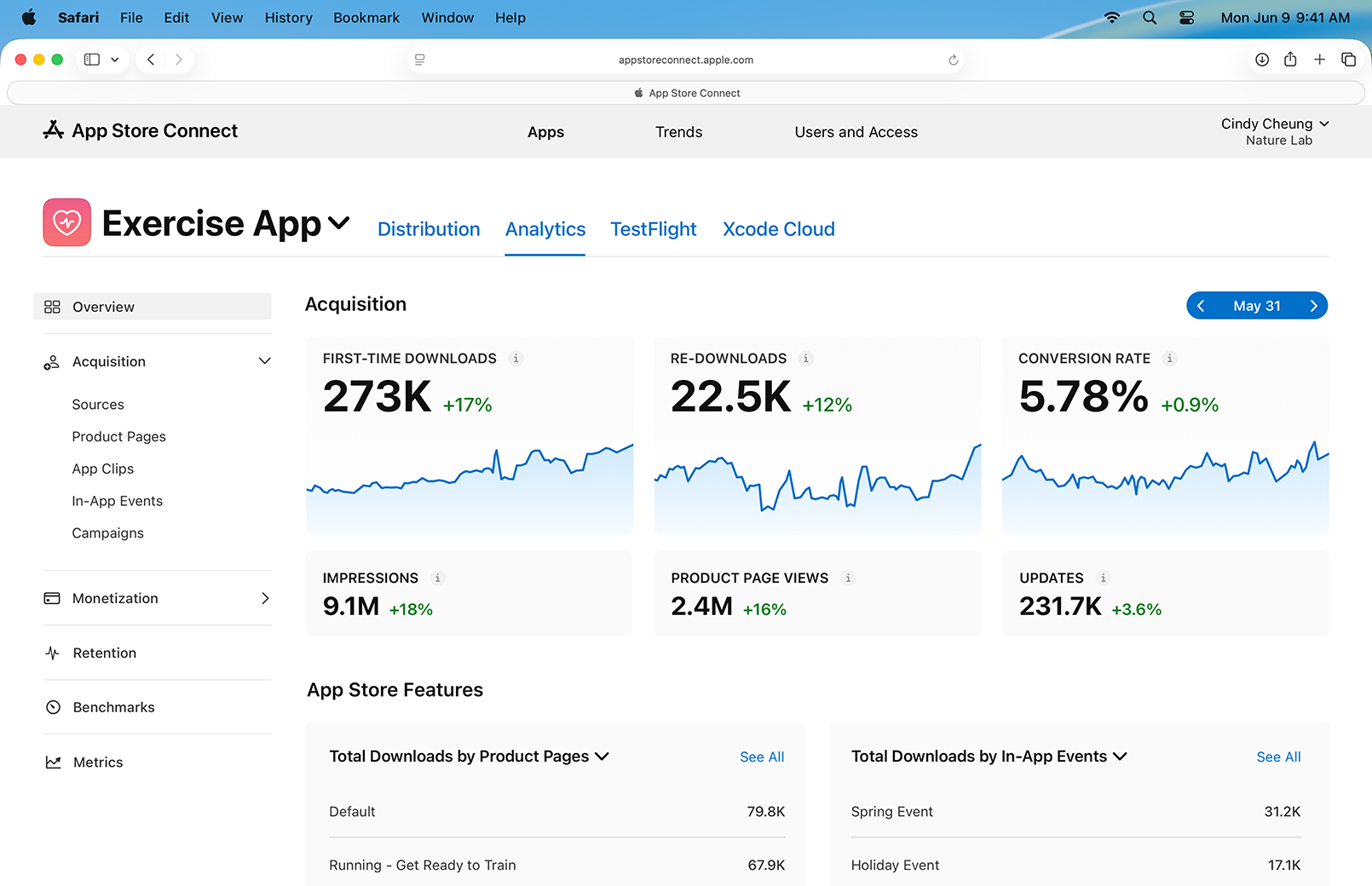
A small team rarely needs a complicated plan. The first step is a baseline from App Analytics: impressions, product page views, downloads and conversion rate over a stable period, so that later changes can be compared against something. Apple’s March 2026 Analytics update added more than 100 metrics, cohort analysis and peer benchmarks for download-to-paid conversion and proceeds per download, which lets teams compare their figures with similar apps.
The next step is choosing what to test first. The icon and the first screenshots appear in search results and reach the largest audience, so they usually produce the clearest signal. A single hypothesis per test keeps the result readable, for example that showing a specific feature in the first frame will outperform a general benefit statement. Because a test can run for up to 90 days, a team running them one after another has room for roughly four tests in a year, which makes the choice of hypothesis more important than the number of ideas.
Once a treatment wins, the lesson can be carried into custom product pages built for paid campaigns. Localization extends the same logic to other markets. App Store Connect supports localized metadata in 50 languages, according to Apple’s March 2026 announcement, and a screenshot sequence written for one market may need different emphasis in another. Teams that track only downloads can miss pages that attract many users who leave quickly, so retention and proceeds data belong in the review of every test. Over several cycles, the record of results replaces decisions made on opinion.
From product page to product: How Varmeta can help
A product page can only promise what the product delivers, which is why app store product page optimization works best when it starts during development and not in the week of submission. Varmeta has built many kinds of digital products for clients across different industries, from entertainment and consumer apps to business tools, and the portfolio shows the range of work. Across these projects, the team has learned how a product idea becomes something a user can understand within a few screenshots, and how features, onboarding and store presentation need to support each other.
Varmeta also brings AI into the products it develops, which helps teams move faster on features and improve the experience users see on the page and inside the app. Teams planning a new app, or rebuilding one whose page is not converting, can discuss scope, features and launch planning with Varmeta through its contact page.
Conclusion
App store product page optimization connects the work of being found with the work of being chosen. Apple gives teams three main tools for it: the elements of the default page, custom product pages for specific audiences, and product page optimization tests that measure which version of the page performs better. The October 2026 additions of creative assets, the Asset Library and the preview tool widen the surface a team can work with, and the April 2027 iPhone Duo screenshot requirement adds one more deliverable to the release checklist.
The sequence is straightforward. Teams establish a baseline in App Analytics, test one hypothesis at a time on the default page, apply the winner, adapt it for custom pages and track retention and revenue alongside downloads. A product page that is treated as a measured part of the product gives an app a better chance of turning visibility into downloads.